Download ChoiCapture (최캡처), a powerful free native Windows capture program
Light yet powerful, and beautifully efficient. Give the ChoiCapture (최캡처) program a try. All of this is free.
Contents
Hello, this is Choidev. We're excited to introduce the program we've prepared, and I want to let you know it's free to download.
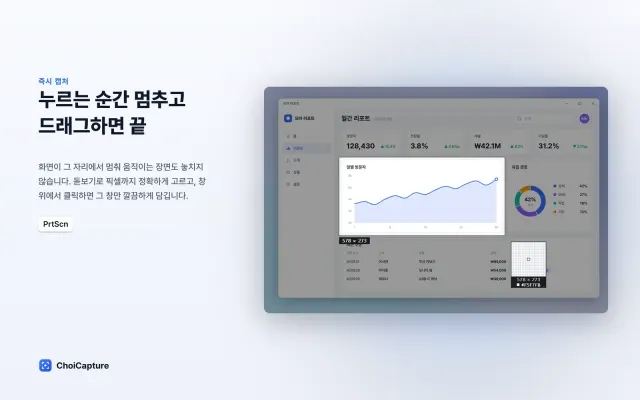
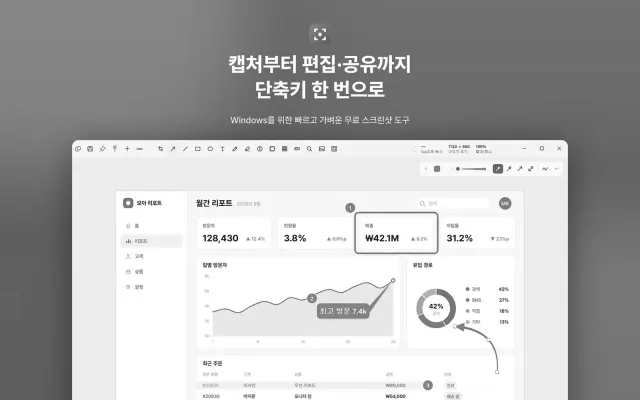
ChoiCapture (최캡쳐) supports many ways to capture and record video, and its powerful editing tools make your work even better to showcase.
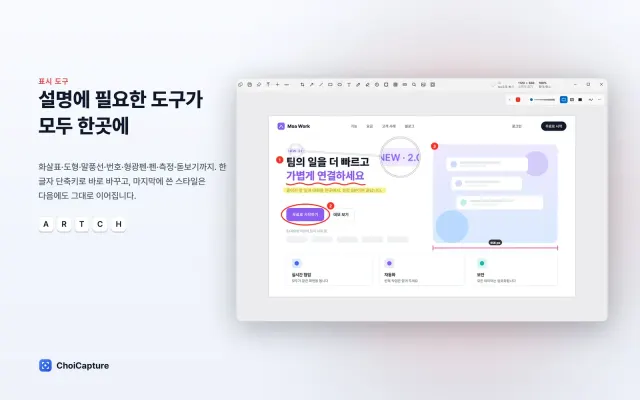
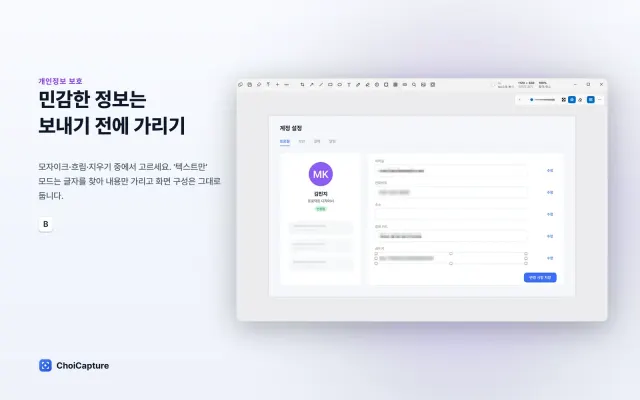
With drawing, magnifier, mosaic, and other editing tools, it's perfect for adding explanations to your images. Each tool supports keyboard shortcuts and remembers its last settings, so it's ideal for consistent editing.
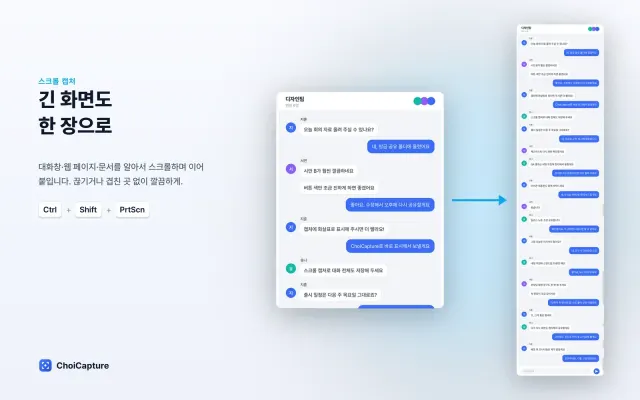
Now you can capture long screens cleanly in a single image. Press the shortcut and click once, and it scrolls automatically to capture everything.
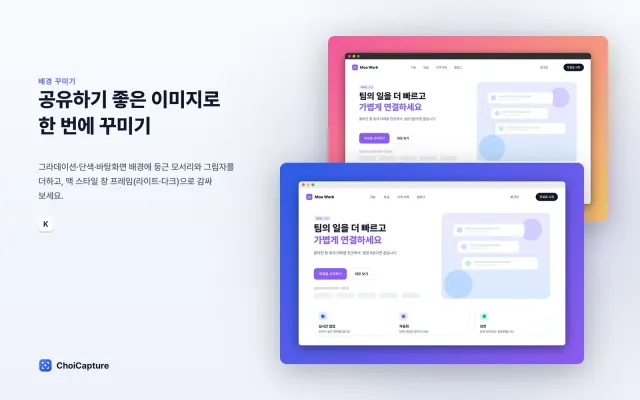
But the feature that makes your captures look the most beautiful is background editing. Wrap your images with gradients, solid colors, photos, rounded corners, shadows, or macOS-style window frames to make them even more stunning.
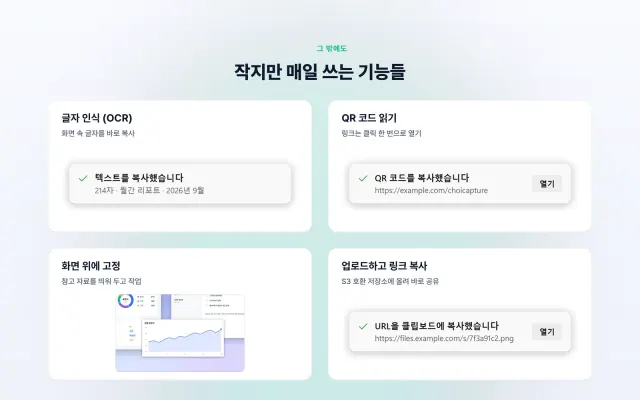
With OCR, you can easily copy text from images and videos, and capturing a QR code instantly turns it into a link. You can also pin captured images to float over your other work, and with compatibility for object storage like S3 and R2, you can back up your captures right away.
How to Use
Global (default, changeable in settings)
| Action | Print Screen preset | Laptop preset |
|---|---|---|
| Region capture | PrtScn | Alt+Shift+2 |
| Full screen | Shift+PrtScn | Alt+Shift+1 |
| Window capture | Ctrl+PrtScn | Alt+Shift+3 |
| Scrolling capture | Ctrl+Shift+PrtScn | Alt+Shift+4 |
| Text capture (OCR) | Ctrl+Alt+PrtScn | Alt+Shift+5 |
| Start / stop screen recording | Alt+Shift+R | Alt+Shift+6 |
If PrtScn opens the Snipping Tool on Windows 11: go to Settings → Accessibility → Keyboard and turn off "Use the PrtScn button to open screen snipping", or use the laptop preset.
Editor
| Key | Action |
|---|---|
Ctrl+C / Ctrl+Shift+C | Copy image / copy text in image (OCR) |
Ctrl+S / Ctrl+Shift+S | Save to save folder / save as |
Ctrl+E | Upload and copy link |
Ctrl+V | Paste image |
P | Pin |
Ctrl+Z / Ctrl+Y | Undo / redo |
Ctrl+D / Delete | Duplicate / delete |
Ctrl+R | Redraw freehand stroke |
[ ] | Decrease / increase thickness · text size · strength |
1–9, 0 | Spotlight darkness / image opacity (0 = 100%) |
Arrow (Shift) | Move selected item 1px (10px) |
Tab | Copy HEX color under cursor |
Ctrl+Wheel, Ctrl+=/Ctrl+-, Ctrl+0, Ctrl+1 | Zoom in/out, fit to screen, actual size |
Space+ drag, middle button | Pan view |
Enter | Apply crop / edit text |
Esc | Cancel · deselect · close |
S3 Upload Settings
Go to Settings → Upload, choose "S3", enter the values, then press Test connection. Secret keys are encrypted with DPAPI and stored for your Windows account.
| Service | Service / region / endpoint | Notes |
|---|---|---|
| AWS S3 | Amazon, bucket region (e.g., ap-northeast-2) | IAM permissions: s3:PutObject(for connection test, s3:DeleteObject optional) |
| Cloudflare R2 | Other, region auto, https://<account ID>.r2.cloudflarestorage.com | Public link: use r2.dev or your connected domain as the public URL |
| Backblaze B2 | Other, https://s3.<region>.backblazeb2.com | |
| MinIO | Other, http://server:9000, enable path-style URLs |
Links are private by default and expire after a set time (1–168 hours). If you have a public bucket or CDN, choose "Public URL". File names include a random string that can't be guessed.
Links and Command Line
choicapture://capture/area      capture/fullscreen   capture/window   capture/scrolling
choicapture://capture/text      capture/repeat       capture/pin
choicapture://clipboard/open    clipboard/pin        settings         history

ChoiCapture.exe --capture area|fullscreen|window|scrolling|text|repeat|pin [--delay 5]
ChoiCapture.exe --ocr | --clipboard | --pin-clipboard | --settings | --quit | --open <파일> | <파일>
If the app is already running, commands are passed to the running app. Commands not listed above are ignored.
Troubleshooting
- Korean text can't be read: Go to Settings → Time & language → Language, add Korean, and install "Optical character recognition", or run this in an administrator PowerShell:
Add-WindowsCapability -Online -Name "Language.OCR~~~ko-KR~0.0.1.0" - Shortcut doesn't work: In Settings → Shortcuts, if it shows "in use by another app," record with a different key.
- Logs:
%LOCALAPPDATA%\ChoiCapture\logs· Settings:%APPDATA%\ChoiCapture\settings.json· Recent captures:%LOCALAPPDATA%\ChoiCapture\history
Download
ChoiCapture-1.0.1-x64-setup.zip54.4 MBStudio: ChoiCapture App (최캡처) · Project
Comments 0
- Loading comments.